
Firefox 3.5 vs. Chrome 3 Showdown, Round 3: Finding a place for more tabs


With Web pages having evolved into Web sites and moving on to become Web applications, we find ourselves frequently revisiting the question of what a Web browser tab should represent. In researching a topic for multiple stories during the course of a day, I often find myself with as many as a hundred tabs open at one time. And yes, I try to keep them in some kind of order, which is never easy; and when the browser crashes (as it still often does), recovering all those open tabs is becoming more difficult, it seems, as time goes on.
Improving the way one organizes tabs is part of the entire value proposition for Google Chrome; besides its impressive architecture under the hood, tab management is one of the few front-end features Google sought to perfect from the very beginning. The idea behind Google's approach to tabs is this: Perhaps in this evolving Web landscape, a tab should be whatever the user designates or needs it to be at the time. So if the user should decide it should go in a window or outside of a window or floating around on its own, for whatever reason, Chrome should enable those options. And it should enable as many options as possible.
Does that mean those options are self-evident or self-explanatory? Not at all. In typical Google fashion, unless you're reading some sort of comic-book-styled sales brochure -- or this particular article -- you have to either stumble upon these options for yourself, or read an article like this one.
It's strange to note that of the major Windows Web browsers produced today, only Mozilla Firefox and Opera render their pages in typical window devices -- even Microsoft Internet Explorer 8 uses a non-standard window. For Google Chrome, this means that each tab must serve double-duty as a Web page's title bar. That actually may be a problem in cases where titles run long -- e.g., news sites whose names fall first, followed by the headline. You can still point to each tab, and in a moment see a tooltip with the full title -- a slight inconvenience, if any at all, but also an indication of one of the problems all browser architects must face. Whereas an application is easily identifiable by its icon, a Web page's icon may denote its publisher but not its purpose.
So if you don't mind your desktop looking like…well, like mine at times, then Chrome 3 presents you with a way to work out where Web pages or applications should be arranged and how they should work. While you can still drag and drop a Chrome window anywhere on the desktop and create any number of windows for collecting more tabs, you can drag a tab away from one window and into another or onto the desktop by itself (thus creating a new window).
And the beta of Chrome is experimenting with a system perhaps inspired by, or inspiring (depending upon whom you ask), the Aero Snap feature of Windows 7. Though Beta 3.0.190.1 had some trouble with this feature, Beta 3.0.191.3 released this morning appeared, in Betanews tests, to have fixed its troubles:
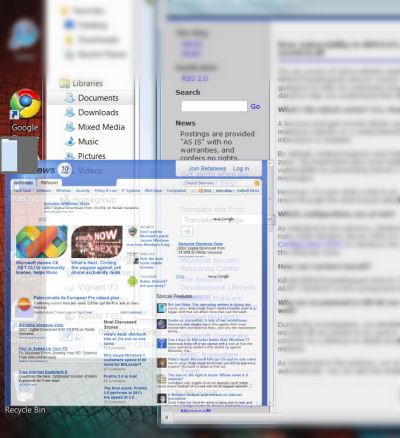 • When you drag a Chrome tab (as opposed to a window) toward the center of the edge of the desktop, an animated symbol pops up representing the projected placement of the tab's new window on the desktop if you were to release the mouse button. If you leave this symbol alone and release the button, then the new window will be created at the mouse pointer location. But if you continue dragging on top of this symbol and release there, then the new window will be opened as indicated by the symbol. For example, if you drag to the bottom (just above the taskbar), you'll see a symbol showing a window that hugs the bottom and that's half-height, leaving the top open. If you drag to the left, you'll see a symbol for a window that hugs the left edge, that's full-height and half-width. It's a little different than Microsoft's method, introduced in Windows 7, of "bumping" the edge of the desktop, and it takes an extra step, but it's certainly sensible. I've said before that I really like this feature in Windows 7, and I must admit to really liking Google Chrome's interpretation of it.
 • When you drag a Chrome tab toward the center of the outside edge of another Chrome window that has room alongside for a new neighbor, another animated symbol pops up depicting the relative location of the new window if you were to release the mouse button. This way, you can create a new window beside an existing one, hugging its edge. For example, if you drag an open tab toward the center of the left edge of an open Chrome window, the symbol will show two windows beside one another. You have to touch this symbol (bringing it from transparency to the forefront) and release the mouse button to snap the new window to the edge of the existing one.
• Inserting an open tab into any open Chrome window, even if it only has one tab open, and releasing the mouse button, results in that tab being reinserted in the open window at that location. This is how you expect things to work, but up until today's release of build 3.0.190.1, that's been a problem for Chrome.
While Google has been working since last year to show up Mozilla in the functionality department, you can't help but think this time around, it can't resist the opportunity to one-up Microsoft.
Next: What helps Firefox in one way, holds it back in another…



