
First Google Chrome 4 reveals the beginnings of cloud synchronization

With Google, one tends to learn the meanings and intentions behind the many events in its development programs pretty much as they happen. For example, the distinctions between what goes on in the Chrome browser's development channel ("Dev") and what happens in the beta channel, have frequently been explained to us after the fact.
Today, we learned one new fact about the Dev channel: It's where the company will be rolling out its integration between the browser and other services -- potentially even with Google Apps. Square one begins with the Bookmarks synchronization service that comes as part of Google Accounts. That service makes its first appearance today with the first Dev build of the browser to bear the number "4." The announcement that Google's open-source Chromium team had developed a library for hooking into Google Bookmarks came just two weeks ago.
Of course, that "4" is not supposed to mean anything specific. Like a child who finishes cleaning his room the moment he shouts, "I'm finished," there's no specific reason for us to assume that Chrome 3, the subject of both the Dev and beta channels, will necessarily drop into the Stable channel anytime soon. When that happens sometime this week or this year, Chrome 2 users will wake up one day and find Chrome 3, which Betanews tests show should be a faster browser than version 2 by as much as one-third.
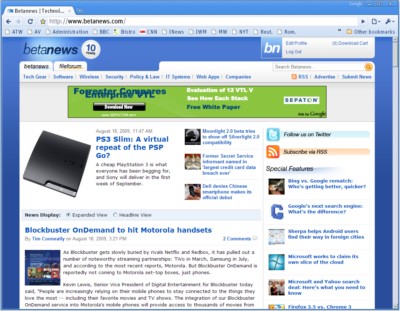 For now, the first Chrome 4 bears little difference from the previous developer build 3.0.197.11 except for continued acceleration (more on that in a moment) and the option to enable Google Bookmarks for testing. It requires a command line launch, as in chrome --enable-sync (Windows XP users can invoke Run from the Start menu); from there, the Sync my bookmarks command appears on Chrome 4's Tools menu.
In typical Google fashion, the program ascertains as much as it can without asking the user what she wants. All the tool requires is the user's account name and password. If bookmarks already exist in the account, then Chrome 4 imports them; if they don't, the browser exports the bookmarks that already exist, into that account.
Once again, Google is demonstrating how it's tailoring its browser to netbook users. They won't be using their portable netbooks full-time, and Chrome may or may not be the browser they use on their PCs. Currently, the Google Toolbar on Internet Explorer and Firefox are capable of performing browser synching functions, provided you save your bookmarks in the Toolbar and not the browser (or import them into the Toolbar from the browser). Typically, these users will prefer to use the same brand of browser on their netbooks as on their main PCs, though an easy method to sync bookmarks between the two browsers automatically could compel netbook users to try Chrome instead.
In initial tests of the first Chrome 4 on our physical Windows XP SP3-based test platform, the browser scored a record 20.09 on our Betanews performance index, representing over 20 times the speed of Internet Explorer 7 on Windows Vista, running on the same machine. Improvements in JavaScript execution this round were only minor, but rendering speed continues to improve, although the latest Apple Safari 4 browser remains the fastest renderer in our test suite (4.53 versus 4.48).
The Chrome browser continues to lack some of the other features found in Google Toolbar, such as language translation and AutoFill for forms. However, we get the impression that we may start to see more of those features creep into the new Chrome 4 development track, whenever Google gets around to it.



