PDC 2008: Will multitouch change the Windows application?

The research and resources that Microsoft has invested in its Surface project will soon pay off for everyday Windows users, with new multitouch functionality being added to Windows 7. But how soon will Windows apps feel the change?
LOS ANGELES - The next version of Windows will enable more multitouch applications, but it cannot automatically convert apps to multitouch that haven't had the capability before. There is a way to enable the scroll bar controls to register vertical and horizontal scrolling capability in case their container app happens to be running in a system that has multitouch, but that's the limit of how much conversion that the next Windows API can do by itself.
Beyond that, multitouch can only happen by design, and Microsoft will be offering two methodologies for developers to add this functionality to their programs: The one the developer chooses depends on how much he wants to adapt his program to either "support" multitouch (perhaps it's there, perhaps it's not) or be dedicated to it. Both methods are accessible through either classical Windows programming or the .NET Framework. The classic method involves an amendment to the Win32 API, the principal programming structure for Windows applications since version 3.0, utilizing a new and changing event message structure using the familiar event trap system. The other involves new features of the forthcoming Windows Presentation Foundation 4.0, slated to premiere with Windows 7.
At PDC 2008 on Wednesday, program managers Reed Townsend and Anson Tsao introduced attendees to both new models, appraising them as the "better" and "best" components, respectively, in a three-tier structure where simply relying on advanced Windows controls is simply "good."
"When we go into the 'better' model of development, it's very easy for you to start adopting the gesture notifications and handle events such as pan, zoom, and scroll, as well as right-click and other types of multitouch gestures," Tsao told attendees. "In Win32, you have the window messaging model that provides the information; in WPF, we'll be building gesture events directly into our base elements; and Window Forms through p/invoke [Platform Invoke, a way to contact the Win32 API through .NET] as well as overriding the WndProc() [event handling procedure], you'll also be able to access the gestures.
"So if you really want to maximize the user experience with touch, then you will want to have access to the raw touch data. Then we provide a set of APIs...to get at that information. With Win32, we have the WM_TOUCH message, a set of COM-based controls that lets you do manipulation and inertia...that gives you really good interaction of the objects on screen. With the WPF equivalent, we have TouchEvents, as well as access to the manipulation and inertia processes. And in Window Forms, you can access this information through the real-time stylus and Ink classes [from the Tablet SDK] available today."
In the event-driven model of Windows, things that a user will do to control a program, will trigger what are informally still called "mouse events." Even certain keyboard overrides can intentionally, or by default, trigger mouse events. These events are enumerated, and each number is given a symbol by IDEs such as Visual Studio, using the WM_ prefix ("M" for "mouse").
Obviously, your finger or fingers aren't the mouse, though they could conceivably trigger mouse events. On a system that's geared for multitouch, very few Windows applications will actually be aware of that multitouch ability. So for some of those that have not been adapted, the scroll bar controls can make do for now, by translating single-touch gestures into WM_HSCROLL (horizontal) and WM_VSCROLL (vertical) messages.
But that much will let you scoot your page around, and not much else -- certainly not zoom or rotate or flick. Frankly, none of those gestures really have mouse events associated with them...and that's been a part of the problem. For classical programming methods, the trick with multitouch has been trying to ascertain just what it is the user actually intends to do.
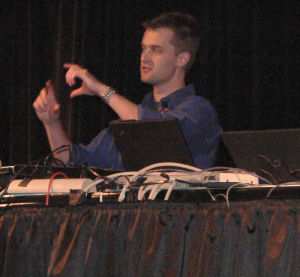 |
| Microsoft multitouch program manager Reed Townsend |
The "better" method, as demonstrated by program manager Reed Townsend Wednesday, involves a new window message that's currently called WM_GESTURECOMMAND, but which he admits will be renamed WM_GESTURE in the final edition of the revised Win32. Instead of determining how much up and down or how much left and right, WM_GESTURE returns information about focal points -- where the fingers touch down -- then how far they move and in what direction.
WM_GESTURE gives the programmer enough information to ascertain compound gestures, such as the two-finger pan, the stretch, and the shrink. An event trap for WM_GESTURE could ascertain, using the parameters from the gesture data structure, what it is the user intends to do, and then pass control based on their conclusions. That's a little different from the one-to-one correspondence between mouse events and reactions that you conventionally have, but it's still workable.
Another trick an event procedure for WM_GESTURE may find itself performing, according to Tsao and Townsend, is coalescing -- deriving the intended gesture based on several apparent composite gestures. Think of it generally like this: What if a "sweep" means something in a program. What makes a "sweep" a sweep? WPF 4.0 programming will contain alternative functions for .NET developers, that also make use of the gesture data structure.
The alternative that's most impressive, however, is the WM_TOUCH system -- the "best" in the three-tier category. It's also the hardest to work with, because it yields the very raw data about perceived gestures; but it enables applications to do the most with them.
 |
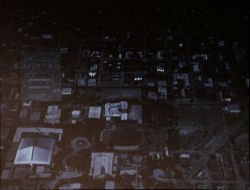 |
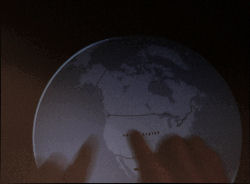
| These grainy photographs from a semi-faulty projector camera show Reed Townsend's hands operating Microsoft's virtual globe application using the "best" programming model for multitouch. |
It's through this system that developers will be able to make use of the manipulation model. While the gesture model is quite sufficient for applications that shift 2D objects on a virtual table, for example, it takes more realistic geometric transformations to make the user believe he's moving a 3D application. For instance, Townsend demonstrated a rotational globe application using Microsoft Virtual Earth, inspired by the company's work with Surface.
It's not too easy to make the user feel he's moving a 3D object on a 2D surface, especially without the aid of tactile feedback. So it's up to the visual capabilities of the program to provide the illusion. Through the manipulation model, a developer gains access to inertia -- simulated leftover gestures that let a globe rotate after being flung in an ascertained direction. There's a physics engine in play here, and Townsend admits it's not a sophisticated one, but it may not need to be for now.
Tsao and Townsend's three models of a multitouch application -- "good," "better," and "best" -- correspond to an application which has been retrofitted with multitouch, a general-purpose app where multitouch has been added to increase its usefulness, and an application made for multitouch, respectively. The challenge now is to learn how much developers are willing to gamble that multitouch will take off, for them to be compelled to use the "best" model in the first place.
"I can imagine implementing a painting application where the stylus would be used for actually painting on your canvas surface," said Anson Tsao at one point, "and then your right hand can be used to recognize gestures so that you can zoom and pan while you're painting as well. So this type of interaction, combining touch and stylus, I think will be very powerful as we see more devices support touch."