TechEd 2007: First Demos of Microsoft SoftGrid Application 'Sequencing'

ORLANDO - Although Softricity was officially in the business of finding ways to virtualize applications within their own self-contained memory envelopes since 1998, for many of us (guilty as charged) the concept is an entirely new science, with new concepts and technologies. In what for many was the first demonstration they'd seen of these concepts, Microsoft senior technical product manager Chad Jones - who came on board when it acquired Softricity - introduced the concept of application sequencing, which is the process admins will undertake to pre-install applications that users will run within a SoftGrid virtualization envelope.
What am I talking about? SoftGrid is now Microsoft's system for enabling remote users to run applications in Vista without their having to be installed there beforehand. In reality, they're being run on the server, in such a way that they just appear to be run on the client.
They still interact with other applications, but they don't actually store values to the System Registry, and their access to the file system is marshaled in such a way that remote file transactions are secured.
It is an extraordinary concept which, if it catches on, could have a mercurial effect on how businesses deploy their licensing schemes. And suddenly, rather than computers having to be beefed up to support Vista, businesses can actually think about keeping their client deployments trim.
But what Jones was there to demonstrate was the trick of getting applications installed in such a way that they can be virtualized. With the nearest thing Windows has had to application virtualization thus far, users can run Office applications through Terminal Services, so their installations can be the same on their desktops as on their remote notebooks. But that system works mainly for Office. SoftGrid can virtualize and remote about 93% of all Windows applications, James said (with Internet Explorer 7 being one of the prominent exceptions).
Jones' demo involved a process Softricity calls sequencing, so named because of how it assembles blocks of installation data during a sophisticated, though respectably simple, "capturing" process. During this process, which he showed, a virtualization session is launched that provides a guest copy of Vista with a virtual System Registry and a virtual distributed file system, represented as drive Q:.
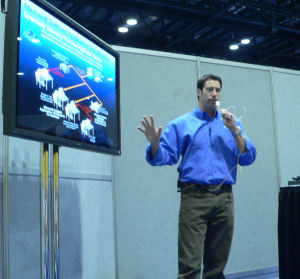 To make SoftGrid capable of virtualizing an application, you install that application into that environment just as you would in an ordinary computer. For the example, Jones installed Adobe Reader 8. The sequencer captures the disk data blocks that the installer application records to the virtual file system, then it also captures in a separate track the files that the installer would write to the Windows common directories, such as \SYSTEM32.
With the disk blocks, system file additions, and Registry changes having been captured, the admin can look over the results and make additions and substitutions as necessary. With relish, Jones took pride in removing Adobe Reader Launcher from inclusion in the Startup directory.
Then some of the real tricks come next. You see, although the virtualized application doesn't have access to the physical System Registry, something needs to make the appropriate changes to the real System Registry, for instance, in order for double-clicks on PDF files in Windows Explorer to launch the appropriately virtualized Adobe Reader. So the sequencer takes the changes that the Adobe Setup program made to the virtual Registry, and creates a kind of installer package that makes corresponding changes to the physical Registry.
Jones added that Adobe Acrobat Writer can be virtualized under SoftGrid, but that Adobe Distiller - which involves contact with a physical print driver - is one of the 7% or so that cannot.
Desktop Optimization Pack
 |
A set of utilities announced last October for delivery to Windows Vista Enterprise customers who have purchased Software Assurance contracts.
 |
One of the utilities in MDOP (note, not "DOP") helps enterprises take inventory of what software is actually installed throughout the network, while another adds versatility to group policy management. One of the more intriguing components of MDOP is SoftGrid, an application virtualization system Microsoft acquired last year. What it will do is make it possible for thinner Vista clients (yes, there are such things) to run full applications through the server, in a virtualization envelope on the client system. This way, the application itself need not be installed on the client. With the exception that SoftGrid-supporting software runs in the "Aero Classic" style (without the semi-transparent window borders), general users may not be able to notice any difference.
 |
This changes the whole meaning of "seat" with respect to software installation. Years ago, software licenses pertained to their installations on hard disk drives (typically local drives). But with the advent of Windows XP, licenses had to be changed to a per-user basis, since any number of users could take advantage of a single installation, especially through network storage. With application virtualization, this could change yet again, since a user may actually be able to run a program through this system without it ever actually needing to be pre-installed for that user on any local or remote drive.
Analysts see Desktop Optimization Pack as either a necessary step or an acquiescence on Microsoft's part, in order to continually refresh the business customer value of Software Assurance contracts in the face of operating systems that don't change all that often these days, except to implement major service packs.
FOR MORE SEE: Microsoft: Windows Server to Outpace Linux 3:1 by 2010