The Web without the browser: Mozilla's Prism enables true Web apps

Mozilla Labs has been devoted to building ideas into viable code that may or may not become products someday. For a year and a half, one of its tasks has been to build a framework for deploying Web-based applications straight to the desktop, while introducing though not necessarily mandating a new methodology or set of practices for sites to follow. In other words, if an application is already live in a browser like Firefox, let's take it out of the browser motif and move it to the desktop.
Since much of Mozilla is about the fine art of testing, the Prism project last week was able to officially exit its internal testing phase, and enter...a new phase of testing, this time what Mozilla calls the Beta 1.0 phase. So despite the fact that Prism 0.9 is now history, Prism 1.0 is now in public beta, with its developers openly inviting users everywhere to install existing Web apps as though they were just plain apps.
Last year, when Mozilla staff "phenomenologist" Mike Beltzner introduced us to Prism, he told Betanews, "What Prism does...is allow you, when you get to any one of these applications on the Web, to just click a button and say, 'I want to make this an application on my desktop.' You'll get an icon on your desktop, and you'll be able to interact with it through Alt-Tab like anything else, but it will actually just be this Web site. Now, there's a little way to go with Web technologies. You need offline support, you need to be able to use that application when you're connected or when you're not connected. So...we've built in support for a new HTML standard for offline applications."
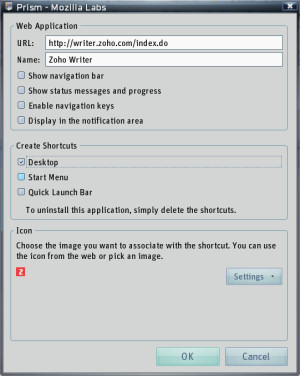 Prism comes as a two-part set. Technically, you only need the Prism "runtime" (the Firefox browser with a little less fox and more fire), though in Betanews tests on a Windows XP SP3-based machine, we had difficulty getting the stand-alone Prism to enroll a Web application as a stand-alone app. We had much better luck with the Firefox plug-in, which lets you use Firefox to browse to the application you want to enroll, then from the Tools menu, select Convert Website to Application. A very simple dialog box gives you the only options you need for effectively bringing up an instance of Prism like a browser and loading your Web app as though it were its home page. When we checked Start Menu, Prism created a shortcut there, but conveniently in the Web Apps folder rather than in the usual mess of first-tier apps.
For now, we're noticing one curious problem: We can't run more than one Prism instance simultaneously. The multitasking problem will need to be solved if we intend to enter the Web application world intact.
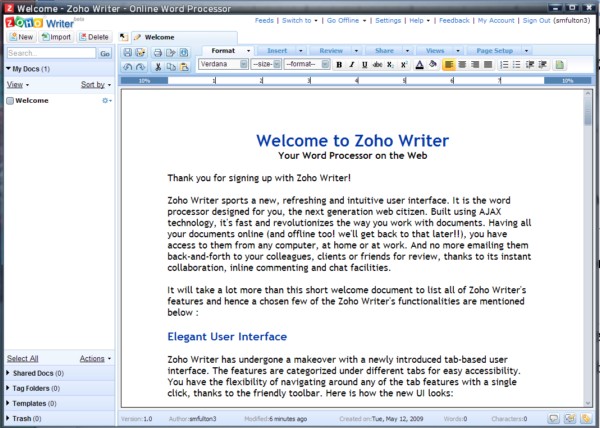
Zoho Writer 2.0 is vastly improved over its predecessor, as we discovered last month. But one of its remaining dilemmas with the standard Firefox browser is that it reacts poorly with some plug-ins -- in many of our test systems, JavaScript won't size the user's choice of fonts correctly. Moving the Web app to Prism solves this problem, because it gets rid of all the excess baggage that surrounds every browser window (it's our fault for installing it all in Firefox in the first place, I suppose). Now, although you can start your Web app like an installed application, Windows itself doesn't see it that way yet; in our tests, it still groups the browser as a taskbar entry under Firefox, along with any other instances of Firefox you might have open. So the transition to the new metaphor isn't complete just yet, though we're delighted to see Web applications elevated even this much to the level of "real software," not by building up the Web browser but by stripping it down. By itself, Prism is merely 8 MB of code, making it an inoffensive and unobtrusive runtime platform -- as well as, in many ways, a development path for the future development of the Web itself.