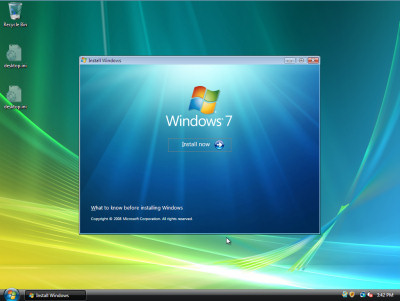
Windows XP to Windows 7 upgrades: Difficult, but not impossible
By Scott M. Fulton, III | Published February 23, 2009, 8:53 PM
It shouldn't surprise many testers that Microsoft has shrewdly closed the upgrade channel for users who will -- probably sooner this year than later -- be making the switch to Windows 7. Many who had chosen to steer clear of Windows Vista and hang on to Windows XP -- by all rights, a decent operating system, at least for Service Pack 3 users -- are pondering the nightmare scenario of having to upgrade to and validate (which usually means, pay for) both Vista and Windows 7, if it so happens that Windows 7 proves to be desirable or simply necessary.
This led us to thinking: Windows Vista can run without being purchased and activated, albeit for a limited time (usually 30 days). During that time, it behaves as though it were a fully operational trial edition (except for the Ultimate SKU, where several of the "Extras" aren't available except after validating). But it doesn't take a month to install an operating system; so what if a valid XP user could simply borrow the promotional edition of Vista, if you will, to make the skip over to Windows 7?
You can't download a trial version of Vista any more that runs on a physical machine; the trial edition now is a pre-configured virtual hard drive (VHD) that lets you test the applicability of your existing software in a Virtual PC environment. So you can't make the hop to Windows 7 via a downloadable version of Vista. And although you can download a real, physical trial version of Windows Server 2008 (which, after all, does have the Vista kernel), you can't install it as an upgrade of Windows XP...just Windows Server 2003.
So it might seem pointless, at first, to say that the first tool you need to make an XP-to-Win7 upgrade is a copy of Vista. But the key here is that you don't need to activate Vista after you've upgraded from XP to Vista, before you begin the upgrade from Vista to Win7. This could give hope to XP users who do plan to purchase Windows 7; all they need to do is borrow a friend's legitimate copy of Vista.
For Betanews' test (which used Virtual PC), we intentionally used a very old, non-updated Windows XP Professional virtual machine, with only Service Pack 1 installed. But very importantly, Office 2007 was also installed. Because this was an old VHD, we had to activate both XP and Office. But doing so at least ensured us of an antique-like system in good working order, with real working applications whose settings would need to survive the upgrade as well. For the heck of it, we attempted a few tricks to see if Windows Server 2008 could be made to install as an upgrade. Those tricks failed, but not surprisingly. We also double-checked for the availability of an evaluation version of Vista. No such version is officially available from Microsoft's servers at present.
We had a legitimate, promotional Windows Vista Ultimate disc that we received from a Microsoft conference. We used this to upgrade our XP-based VM to Vista Business. That was successful, but then we encountered a little problem that may only be encountered these days in the virtual world: Our (virtual) hard disk was too small. Microsoft tools are unable to expand the size of an already-created VHD, but thankfully a third-party utility did the trick.
When installing Vista Business, we did not enter any serial number, opting to do that "later." When you opt to omit the serial number, the setup program asks which version of Windows you "purchased." Here is where we entered Vista Business, because we're not allowed an upgrade path between XP Professional and Vista Home Basic or Home Premium -- only Ultimate. And for this purpose, we don't really need Ultimate.
Probably because we used such an old VHD to begin with, with a small initial size (20 GB), the upgrade-to-upgrade process did manage to consume the entire day. Just getting Windows 7 onto the system isn't enough -- we wanted to make certain it could be legitimately activated. Would the lack of any Vista activation preclude our ability to activate the latest Windows 7 public beta?
As we learned late today, after waiting through a long installation process...it was no problem. We entered a legitimate serial number after the installation process was mostly complete, and told the Setup routine to automatically activate Windows after the next reboot, and it did. (We had some trouble with the Virtual Machine Additions driver, but that would only affect virtual machines anyway, not physical systems.)
And what's more, Office 2007 -- which had run in Windows XP without trouble earlier the same day -- ran without a hitch in Windows 7 Build 7000. That's about five years of operating system evolution in one day's time, without negative impact to our applications.
We cannot guarantee that this installation system behavior will remain the same in the final Windows 7 release build. But this test presents, at the very least, some hope that with about a day's work and a lot of patience, Windows XP users will be able to escape the fate of their software setups being rendered outmoded should Windows 7 indeed live up to Microsoft's many promises.

Does windows 7 have a hardware incompatibility list? E.g. I use netgear and d-link wifi cards and had to wait for the manufacturer to make vista drivers available. Is there a software incompatibility list as well? If these lists are available, where can i find them?
Score: 0
|Vista drivers will work with Win7.
Score: 0
|Score: 0
|All of this discussion begs the question.........why would I "upgrade" to Windows 7? The beta looks nice but, once again, MS has buried DRM bits and pieces in it -- and who knows what else that has yet to be uncovered.
So again I ask, why would I "upgrade" to Windows 7 when Linux does not have these issues? Ubuntu is looking better and better.
Score: -5
|"Why would I upgrade?"
Well, first,it would help to understand what it is you are talking about. Vista and Win7 have support for DRM...that is all. It is *not* active unless you are playing back content that *requires* it to play. (in other words, you *want* it active)
"and who knows what else that has yet to be uncovered."
Ok....sorry. Missed that bit. You're trolling. In that case, I'll just leave it at "Get a clue." and hope that some day you find a something a bit more rewarding to do than post BS about things you obviously know nothing about.
Score: 0
|Thank you for being so articulate, PC Tool. I will refrain from any similar comments.
My basic point is that while 7 is better than Vista many of the same issues are still there. DRM issues were an example.
I have experimented with 7 and Ubuntu and discovered that Linux has come a very long way over the years. Ubuntu, at least, is very usable, fast, and is missing most of the issues that lurk in Vista and, it appears, in 7. If I had no need for a couple of programs that run only on Windows [yes I know about Wine], and was looking to move from XP, I would probably opt for Ubuntu. 7 has nothing that draws me to it over Ubuntu and the buried 'features' that have come out in beta testing are pushing me away from 7. That said, I am not motivated right now to leave XP.
Score: -4
|I'm on the Windows 7 Beta, there's a pretty cool tool (turns out it was in Vista but who knew?). The tool collects your data (for all users) and puts it in a blob of some sort (.MIG file), it seemed to get my desktop and IE stuff as well (my background, favorites etc). So I still had to install my apps again, and many of my game settings moved (I assume because they had a data file), but all in all it wasn't that bad. Point and click. It's called "Windows Easy Transfer". It's a little confusing to use since it assumes you're moving from one system to another, but it worked. Has anyone else used it?
Score: 1
|Windows Easy transfer is available for Vista, and it is buggy. I wouldn't rely on it completely.
Score: 0
|Not a clue why this is such a challenge. They did most of the work with the XP->Vista path. The changes in Win7 aren't that radical.
Score: 0
|Upgrading from XP to 7 isn't one.
That said, anyone who wishes to verify that for himself should know that Microsoft has not gotten an in-place upgrade right since the days of DOS.
Better the small inconvenience of backing up the needed data, and starting fresh, than trying something that will demolish the system, making any movement in either direction impossible.
Score: 0
|Amen!
Score: -2
|It baffles me why Microsoft doesn't make a clear migration path for XP users knowing full well that many of us didn't touch Vista and have waited for Win7. Of course not all applications will work, but provide a migration tool that informs the user that and migrate what you can. The lack of such tool for XP systems results in a painful rebuilding experience for those who aren't very comfortable with computers and more reason for them to dislike Win7 and say "maybe I should just get a Mac". Shame MS can't figure this out.
Score: 3
|get a Mac then, no one is forcing you to use Windows
Score: -2
|Yeah get a mac, after all, the migration from a pc to mac is such an easy task to take in and of itself.
Score: 0
|Yeah. Actually it is.
Score: -1
|Ya wanna bet, still struggling with my MBA, still it looks pretty at the local Macca's.
Nah, really have still not got my head around the necessity of palsy like gestures required just t get right click. That little issue aside, it's a good machine.
Score: 0
|there are many programs and drivers made for xinxp that simply do not work in vista, let alone win7.
not only would people loose money invested in software and hardware that is not vista compatible, spending money to upgrade an old pc to accommodate vista or win7 would also be an added loss to one's finances because the o.s. would perform poorly - albeit a financial gain for M$.
Score: -1
|If software was not compatible with Vista then that implies that the people making the software weren't doing quality code in the first place. One of the nice things about Vista is that it pointed out all the outfits that were being lazy and making shoddy code and demanding admin rights (even when they didn't need them). That was my favorite part about UAC (despite the annoyance).
Score: 1
|Sony Camera I bought in 2000 doesn't work in Vista. Never will. The camera has worked better than most I've seen. WHy should I abandon good hardware because Microsoft wants me to?
2nd example: Epson Scanner that I've used for over a decade scans wonderfully. But the software that is included with the scanner doesn't work on Vista. The scanner works, but the featureset with Vista pales in comparison to what we got from Epson previously. Again, why should we move to an Operating system that gives us less functionality.
3rd example: Software our company uses in-house doesn't work "well" on Vista. We need to apply compatibility templates, and even then it will randomly crash. Neither Vendor nor Microsoft provide support. But the software works perfectly fine under XP, and the newer versions are an expense we don't find worth it just to run a newer OS: result? We stick with XP.
People aren't saying that they aren't going to ever get Vista or Microsoft's eventual Operating system, but many have delayed, explored alternatives, or held back. This is concerning I would think for Microsoft, especially on the corporate front. Even if Windows 7 "rocks," there will be a very real effort for companies to look at alternatives to save every penny they can, and that may very well be to start looking at other operating systems.
Case point: Amazon uses Linux internally. Google uses a retasked operating system that they likely pay very little per-node on. These companies started with nothing and run incredibly robust systems. They never will have to worry about licensing admistration (which if you are a windows admin you know is a huge PITA, and you WILL get different answers from MSFT on every time you call.
Score: -5
|I never got this, a vendor doesn't want to update their software or hardware manufacture doesn't want to make new drivers and all of a sudden it's MS fault, when did MS become responsible for everyone else. It has got to suck to have millions of people wanting every feature imaginable with security out the wazoo and then god forbid that a 10 year old POS hardware stops working as it did when it was brand new.
Usually, the change MS makes that everyone screams about, ends up being something the user wanted in the first place...oh like drivers, everyone hates the BSOD due to some piss poor driver and when they attempt to fix and as a result, all the old winXP drivers that do not follow the new model break, people come out of no where to cry about.
Windows is stuck trying to be everything to everyone using a model that just doesn't work for that sort of thing (closed source).
Score: 1
|That's not Microsoft screwing you. That's Sony, Epson, etc.
Score: 0
|You can put the blame on the vendors, but Microsoft created the Operating system, and if it wants me to migrate, and it wants to maintain backwards compatibility, it should enforce driver support if you develop on its platform.
It's kinda like when MS released the RC's of Vista, and then CHANGED the driver model between RC's so that vendors were left high and dry supporting the Gold released Operating system, especially video drivers.
Score: 0
|If you will recall, MS also changed the code in XP after it went gold - breaking many drivers (especially printers) with the result being that many vendors refused to go back and duplicate their investment in time and money to fix what MS broke there too.
Ooops
Score: -2
|Vista had a retail release date of Jan 07, RTM was Nov 06, if you don't have proper drivers and software from your vendor by Feb 09, guess what, it means your vendor is lazy, stupid, or just doesn't care. I would go with doesn't care, due to the fact supporting decade old hardware doesn't bring in the money, the lack luster Vista sales and not knowing if the new drivers and software will work on Win7.
Oh and the vendor for your business software just sucks out right assuming you are paying them for support. If you aren't paying, shut it, pay for support or push for an update and deal with the headache that would cause.
Score: 1
|Yup, my money is on widespread Windows upgrades working. LOL
Something that has never worked well (and which friends inside MS have long openly scoffed at) will suddenly work flawlessly.
Yup, I would definitely advise simply upgrading your machine from XP to 7. No need for a backup (besides, you need a 3rd party solution for that as it is much to complex a basic function for MS to integrate) - just upgrade.
That will solve the problem, as you will soon be doing a clean install of Win7 or whatever OS version you want to use.
Score: -2
|No back up you say? So all these big files I've been making with ntbackup are just that, big files....oh where have my back ups gone...*cough*
Before you try and cut my nuts off, I am aware that Win7 may not include NTBackup..., but considering they put out a restore utility for Vista, I'm sure they will either put out one for Win7 or the same one will work for both OSs
Now, on with the attempted castration beta news is becoming famous for.
Score: 0
|When it comes to backing up Win7 actually has quite a comprehensive backup utility. When you set backups you have the choice of a system restore and files based backup as well as an image file of the oprating system. All part of Win7 and no need for a 3rd party App. Then as other have mentioned the easy transfer wizard. It has been around since vista came out and also as part of windows update for xp so you can transfer settings etc from xp to vista. MS has since WinME incorporated in one way or another a setting and transfer wizard, and yes it isnt always successful, but when people come out commenting about faures of operating sytem that have always been here and act like they are new, gets a bit annoying. Make sure you know your before you start commenting on NEW feature etc...
Score: 0
|Hello? It IS possible for Windows XP users to upgrade their license to Windows 7. Windows XP users are eligible to get Windows 7 at upgrade prices. It is only that Windows XP users cannot perform "upgrade install" of Windows 7 over their existing copy of Windows XP. Windows 7 setup can only do an upgrade installation from Windows Vista computers. Doesn't mean XP users can't receive the Windows 7 license at upgrade price.
This confusion is spreading all over the internet, except some sites which get it right. Betanews seems to be helping it spread.
See http://www.lifehacker.co..._and_vista_users-2.html
http://www.tomshardware....upgrade-vista,6965.html
http://weblog.infoworld....02/dont_believe_th.html
Microsoft has ALWAYS supported upgrades from at least 2 Windows versions. You could upgrade to XP from 2000, 98 or Me. You could upgrade to Windows 2000 from Windows NT 4.0 or Windows 98. Upgrade TO Vista was an exception because of XP's lifecycle. Upgrade installation for Windows 7 is again a special case because of changed design of setup.
Score: 2
|Your Microsoft apologist drivel is cute, but the entire point of the article was to show that if Microsoft had so desired they could have easily provided a direct upgrade path from XP to 7. The real "design differences" you mentioned are between XP and Vista - Windows Vista and Windows 7 are almost identical in every way that counts.
Score: 0
|Yeah...and all those vista "upgrades" went so well....
Score: -2
|To upgrade the license, yes. You can purchase a legitimate upgrade license; we didn't imply that you couldn't. You just can't upgrade from XP to Win7 directly. No confusion about that whatsoever.
-SF3
Score: 0
|Microshaft and all there wisdom. Those jerks should have made it possibnle to upgrade from XP also especailly since there are SOOOOOO many people not wanting to do Vista and stayed on XP. Thats fine my next computer will be an Apple im sick of the games Microshaft plays.
Score: -5
|Have fun!
Score: -2
|This just in from the new Safari 4 Beta's '150 features' article:
"Acid 3 Compliance
Safari is the first — and only — web browser to pass Acid 3. Acid 3 tests a browser’s ability to fully render pages using the web standards used to build dynamic, next-generation websites, including CSS, JavaScript, XML, and SVG."
Lie.
You'll also note that Full-Page Zoom is listed twice.
I'm afraid Apple are no better at displaying their wisdom or not playing games.
You're ****ed either way.
Score: 0
|I see a number of options for the 30k desktops and laptops all currently running XP at a Fortune 500 company.
Wait until the company is nationalized and then the upgrade is a government problem.
Chapter 11 in inevitable, no upgrade required.
Let the Mergers, Acquisitions & Divestitures folks put it in their project plan (best not to acquire as the other bozos may still be running W2K)
Back to the Mainframe,
Adopt "network is the computer" and go cloud with thin client
Linux is looking better every day
Score: -1
|No way. For a decent setup, Windows upgrades *never* worked good. A double upgrade may turn a decent system to a crawl full of problems.
If you buy a new OS, better make a clean install, previous backup of your data. You will save multiple problems later. If you have the chance, buy a new disk, so you may use a double boot. For the price you spent on Windows, a new hard disk will not break your pocket... It is weird how hardware became less expensive than the OS, did you think about it?
Mac OS is the exception, as some upgrades may work all right.
Score: 0
|"Mac OS is the exception, as some upgrades may work all right."
You've really convinced me.
Score: 0
|Ok...this really annoys me. On one of my laptops I have a Windows Vista "compatible" sticker (hehe) that runs XP. Vista was not included when I bought this Dell. I had to acquire it as an upgrade. I think Microsoft is really mistaken if they think making people upgrade to Vista to get to W7 will get people to change . In fact, I think XP will continue to float around for a lot longer if they do not give people a simple path from XP to W7. If their purpose is to get everyone to migrate, it would serve them better to make the upgrade available.
On the technical side of things, I think W7 has a smaller footprint and is more optimized for speed. It is not supposed to impact the processor as much.
Score: 0
|Upgrade path from XP to Win7: New PC or new install.
What they *should* have done with Vista considering the giant near-decade gap in releases.
Score: -1
|One of these days I wanted to figure out how early a Windows version you can go for an upgrade to be possible. I mean, the only upgrades I've ever done personally was from DOS to 3.1 to 95, and then another machine from XP to Vista and yet one more machine from Vista to 7 beta. I know 95 can go to 98, and 98 can go to 2000 I think.
I should try a personal experiment to see if I can go from 3.1 to Windows 7 from upgrades alone.
Score: 1
|I bet you all the change in my back pocket that the machine will run like a dog after that.
Score: 1
|Most XP machines could barley run Vista are they even going to be able to run W7? And why not just formate the machine and install W7? Are your settings on XP really going to transfer to W7? As for your files just save to a flash drive or external hard drive... seems to me this would be easier than waiting for vista to download, install, and then install Windows 7... but what do I know I stopped using Microsoft after XP.
Score: 0
|yes, windows 7 (beta) has been able to run on machines slower than 1Ghz with less than 1GB RAM, thats lower than even it min requirements, i believe gizmodo showcased the results, i would imagine the RC will outperform the public beta
i tossed it on an older 1.8Ghz 512MB RAM desktop from dell, ran smooth believe it or not
Score: 0
|boy, i have an idea... hit up a retail store, or MS and buy yourself a copy of windows 7 home premium or ultimate and f*ck upgrading, back up your important files/docs and start fresh, everyone will be better off .... really, why all the hassle? ... its been 8 years and folks won't go full price and buy the OS outright, for many its been 8 years since buying anything from them, myself included (enjoying an OEM copy of vista ultimate, bought XP finally 4 years ago)
i've just gotta say its pretty sad folks are looking to cut all these corners, especially if you've used and enjoyed one of their products this long, just saying...
like i said, i use vista ultimate, think i'm gonna buy some kind of upgrade license? nope
Score: 2
|@mjm01010101 Not sure if it'll do exactly what you wanted, but ever looked into Acronis TrueImage? I was considering mentioning it in this comment anyway but having read that, yea.. So anyway, can't one just make an image of their XP, and uhh.. Nevermind, I forgot where i was going with this. :P Anyone want to finish it off?
Score: 0
|Odd...although I upgraded from Ubuntu 8.04 to 8.10, and then I plan to upgrade again to 9.04 without an issue, or the need for a key, and to top it all off...get this! It came with Office (Open) and still no key, and no headaches.
Wonder why??! ;)
Score: -6
|This would also likely count as a violation of the licensing terms and conditions of the "borrowed" copy of vista. might wanna have a lawyer look into that.
Score: 0
|LOL. Forget all of that crap, just get a Mac and be happy. No senseless and silly hacks necessary. A Mac works the way you would expect a computer to run out of the box: Smooth & Headache free.
Score: -6
|Why would I want to replace my gaming PC with a computer that has integrated graphics just to run Mac OS X? That doesn't make sense. Besides, do Guild Wars and World of Warcraft even run on Mac OS X?
Score: 0
|Does anything minus an adobe application work on a mac?
Score: -1
|God Dammit: Actually, yes, there's an OS X version of World of Warcraft. I think it's included in the WoW packages (both Windows and Mac versions all in one box). One of my friends regularly (bleah) is on WoW all the time, using two different Macs (he wants to be able to take it on the road, too...).
Don't know about Guild Wars, but apparently people are running it under things like Parallels or Crossover, from the quick websearch I just did.
Score: -1
|Gee, or you can just install your marvelous Windows under VMWare Fusion and run your little games - since this is the extent and focus of your world.
Its amazing how few of the IT wizards here are familiar with the fact tht the Mac is just a PC.
Score: -1
|@foxfyre:
Does fusion actually allow Hardware GPU acceleration?
Score: -2
|Back to my original argument. I still don't see the point in having to buy a whole new computer just to get Mac OS X. The Mac is not a complete platform like Apple would have you believe. It is nothing more than an operating system that runs on x86 hardware.
Score: 0
|@PC
Let me refer you to:
http://www.usenix.org/ev...papers/dowty/dowty_html/
I hope that helps. The answer is yes, it will support the installed video card. But currently Apple does not support SLI or CrossfireX configurations - so that may render you an early causality in tournament play.
And in reference to the other dweeb who claims the Mac is not a "complete platform" or whatever his nosnsensical rant is about - the Mac is UNIX on x86. With the benefit of being able to interpret Windows files and talk to and manage Windows natively without terminal emulation. And a GUI (as well as complete commandline interface terminal sessions if desired) that allows even an idiot such as yourself to run it without knowing anything about UNIX.
What part of that can't you figure out!
Score: -2
|...
Now if I could just run it on my system without having to jump through a plethora of hoops...
Score: -2
|Hmmm, lot of work for a procedure that we've had poor results with in the past. 9X to 2000, 2000 to XP, XP to Vista.
We (the corporate we) have found that a clean install is best.
Preserve data, export settings from apps that allow it, format, install. Add apps and data.
Score: 3
|Great article, I've wondered this myself but never bothered testing.
Could I go from a W2K desktop, image it, put it on a Modern laptop, upgrade it to XP pro using the retail disk, not activate it, upgrade to Vista32 business, and activate that.
I ended up just sticking with XP, as we still had apps at the time that don't like Vista.
My dream is an app that can take a machine and image it, paste it on a new box, and migrate to a new OS, keeping apps and settings intact, all in one step.
Score: 2
|You can, sort of. an installed os, moved to another machine which does not have the same hardware has a slim chance of surviving due to key drivers installed for the specific hardware that the OS was running on. however. you can try. a great program i use for imaging is acronis. run a google search on it and see if yo ulike it. i find it 100% easier to use than norton ghost and a lot more options. including the ability to setup a F11 key for recovery and recover to a previous point provided you have an image created. works great. i use it on all my machines. and on my wife's machine it gets used at least once a month when she does something and breaks the OS :)
Score: 1
|